# Transitions
You can have arbitrary visualisations and transitions for any [NavModel](../navmodel/index.md). For example, all of these are different representations of the same [Back stack](../navmodel/backstack.md):

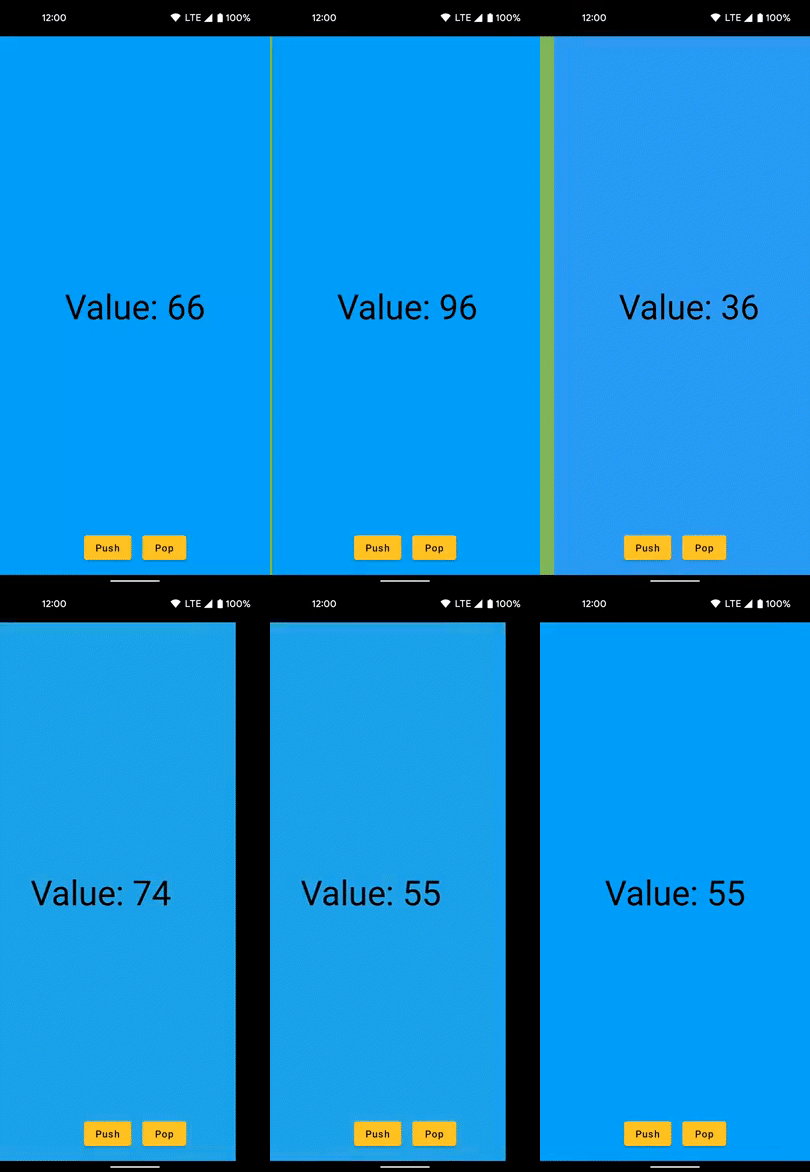

 Below you can find the different options how to visualise `NavModel` state changes.
## No transitions
Using the provided [Child-related composables](children-view.md) you'll see no transitions as a default – UI changes resulting from the NavModel's state update will be rendered instantly.
## Jetpack Compose default animations
You can use [standard Compose animations](https://developer.android.com/jetpack/compose/animation) for embedded child `Nodes` in the view, e.g. `AnimatedVisibility`:
```kotlin
var visibility by remember { mutableStateOf(true) }
Child(navElement) { child, _ ->
AnimatedVisibility(visible = visibility) {
child()
}
}
```
## Appyx transition handlers
All the [child composables](children-view.md) provided by Appyx accept an optional `transitionHandler` argument too:
- You can use the provided ones as they're a one-liner to add – you can check the individual [NavModels](../navmodel/index.md) for the ones they come shipped with.
- You can also implement your own.
The benefit of using transition handlers is you can represent any custom state of elements defined by your NavModel with Compose `Modifiers`.
The example below is taken from [custom navigation models](../navmodel/custom.md). It matches custom transition states to different scaling values, and returns a `scale` `Modifier`.
```kotlin
class FooTransitionHandler(
private val transitionSpec: TransitionSpec = { spring() }
) : ModifierTransitionHandler() {
// TODO define a Modifier depending on the state.
// Here we'll just mutate scaling:
override fun createModifier(
modifier: Modifier,
transition: Transition,
descriptor: TransitionDescriptor
): Modifier = modifier.composed {
val scale = transition.animateFloat(
transitionSpec = transitionSpec,
targetValueByState = {
when (it) {
Foo.State.CREATED -> 0f
Foo.State.FOO -> 0.33f
Foo.State.BAR -> 0.66f
Foo.State.BAZ -> 1.0f
Foo.State.DESTROYED -> 0f
}
})
scale(scale.value)
}
}
// TODO remember to add:
@Composable
fun rememberFooTransitionHandler(
transitionSpec: TransitionSpec = { spring() }
): ModifierTransitionHandler = remember {
FooTransitionHandler(transitionSpec)
}
```
## More info
1. You can find more complex examples in the implementations of other NavModels, such as the [Promoter carousel](../navmodel/promoter.md)
2. You can find [Codelabs tutorials](../how-to-use-appyx/codelabs.md) that help you master custom transitions
3. You can find [Coding challenges](../how-to-use-appyx/coding-challenges.md) related to custom transitions
Below you can find the different options how to visualise `NavModel` state changes.
## No transitions
Using the provided [Child-related composables](children-view.md) you'll see no transitions as a default – UI changes resulting from the NavModel's state update will be rendered instantly.
## Jetpack Compose default animations
You can use [standard Compose animations](https://developer.android.com/jetpack/compose/animation) for embedded child `Nodes` in the view, e.g. `AnimatedVisibility`:
```kotlin
var visibility by remember { mutableStateOf(true) }
Child(navElement) { child, _ ->
AnimatedVisibility(visible = visibility) {
child()
}
}
```
## Appyx transition handlers
All the [child composables](children-view.md) provided by Appyx accept an optional `transitionHandler` argument too:
- You can use the provided ones as they're a one-liner to add – you can check the individual [NavModels](../navmodel/index.md) for the ones they come shipped with.
- You can also implement your own.
The benefit of using transition handlers is you can represent any custom state of elements defined by your NavModel with Compose `Modifiers`.
The example below is taken from [custom navigation models](../navmodel/custom.md). It matches custom transition states to different scaling values, and returns a `scale` `Modifier`.
```kotlin
class FooTransitionHandler(
private val transitionSpec: TransitionSpec = { spring() }
) : ModifierTransitionHandler() {
// TODO define a Modifier depending on the state.
// Here we'll just mutate scaling:
override fun createModifier(
modifier: Modifier,
transition: Transition,
descriptor: TransitionDescriptor
): Modifier = modifier.composed {
val scale = transition.animateFloat(
transitionSpec = transitionSpec,
targetValueByState = {
when (it) {
Foo.State.CREATED -> 0f
Foo.State.FOO -> 0.33f
Foo.State.BAR -> 0.66f
Foo.State.BAZ -> 1.0f
Foo.State.DESTROYED -> 0f
}
})
scale(scale.value)
}
}
// TODO remember to add:
@Composable
fun rememberFooTransitionHandler(
transitionSpec: TransitionSpec = { spring() }
): ModifierTransitionHandler = remember {
FooTransitionHandler(transitionSpec)
}
```
## More info
1. You can find more complex examples in the implementations of other NavModels, such as the [Promoter carousel](../navmodel/promoter.md)
2. You can find [Codelabs tutorials](../how-to-use-appyx/codelabs.md) that help you master custom transitions
3. You can find [Coding challenges](../how-to-use-appyx/coding-challenges.md) related to custom transitions