# EinkBro: Android Browser, specifically made for Eink devices
This browser is called EinkBro. It's designed to fit Eink devices' needs; no unnecessary UI transitions, clear B&W icons, useful feature for eink reading experience. It's originated from [FOSS Browser](https://github.com/scoute-dich/browser), which is fully free/libre (as in freedom) Android app.
[ ](https://f-droid.org/packages/info.plateaukao.einkbro/)
[
](https://f-droid.org/packages/info.plateaukao.einkbro/)
[ ](https://play.google.com/store/apps/details?id=info.plateaukao.einkbro)
[
](https://play.google.com/store/apps/details?id=info.plateaukao.einkbro)
[ ](https://github.com/plateaukao/einkbro/releases) [
 ](https://nightly.link/plateaukao/einkbro/workflows/buid-app-workflow.yaml/main/app-release.apk.zip)
### Screenshots
|Main Screen|Menu Items|Toolbar Configuration|
|----|----|----|
|
](https://nightly.link/plateaukao/einkbro/workflows/buid-app-workflow.yaml/main/app-release.apk.zip)
### Screenshots
|Main Screen|Menu Items|Toolbar Configuration|
|----|----|----|
|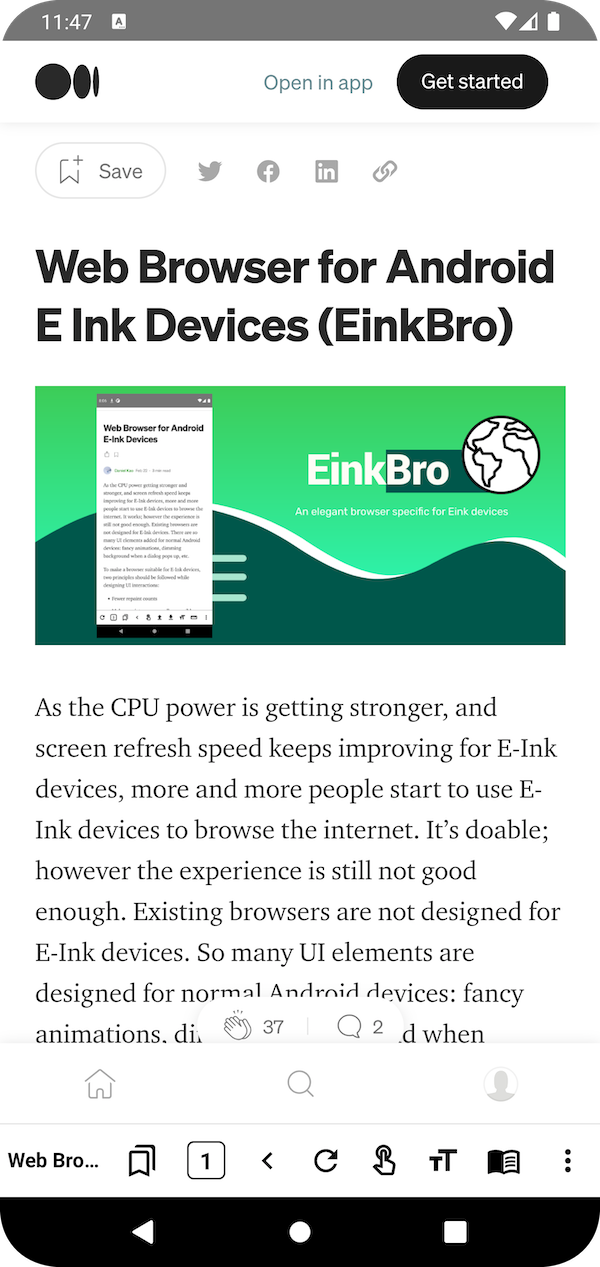 |
|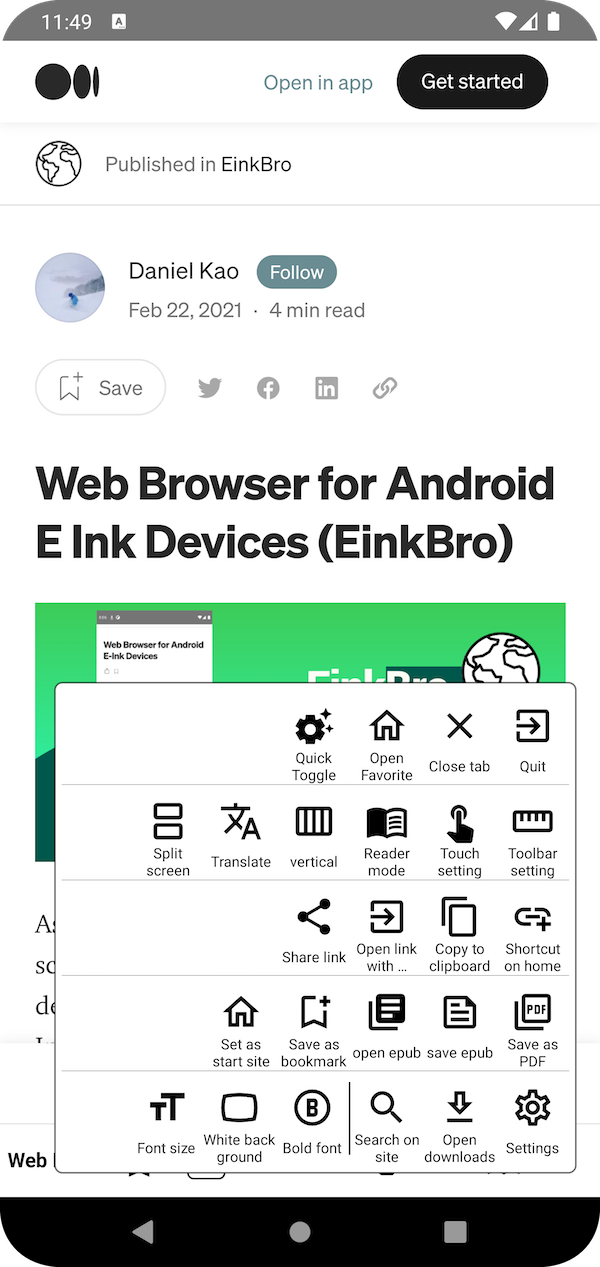 |
|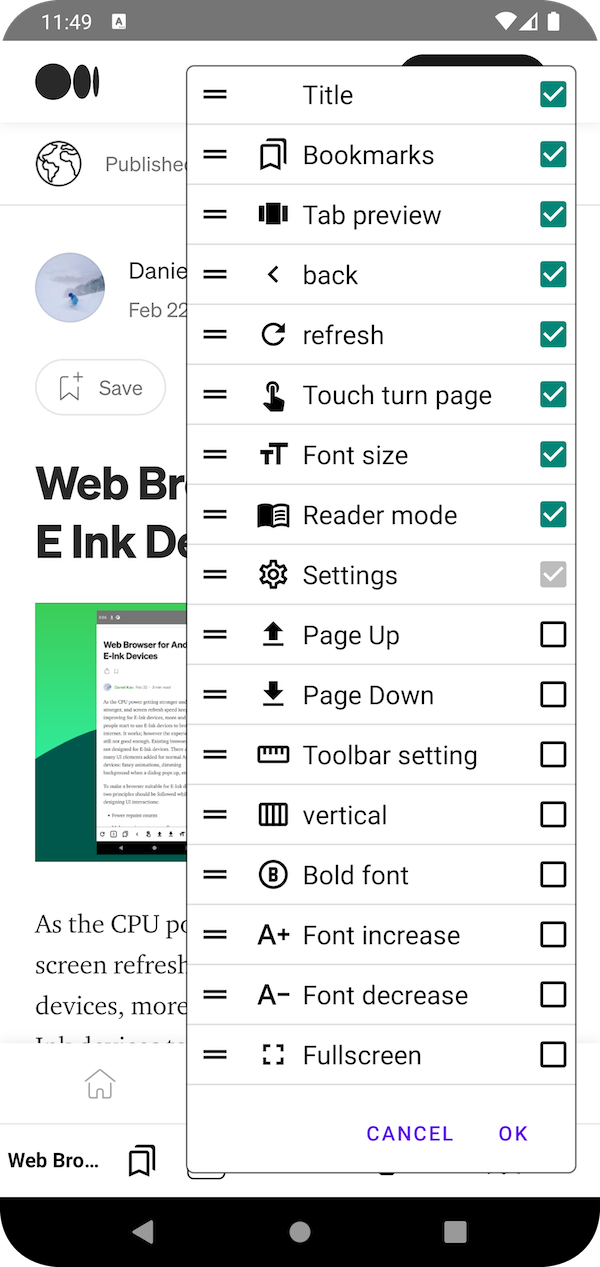 |
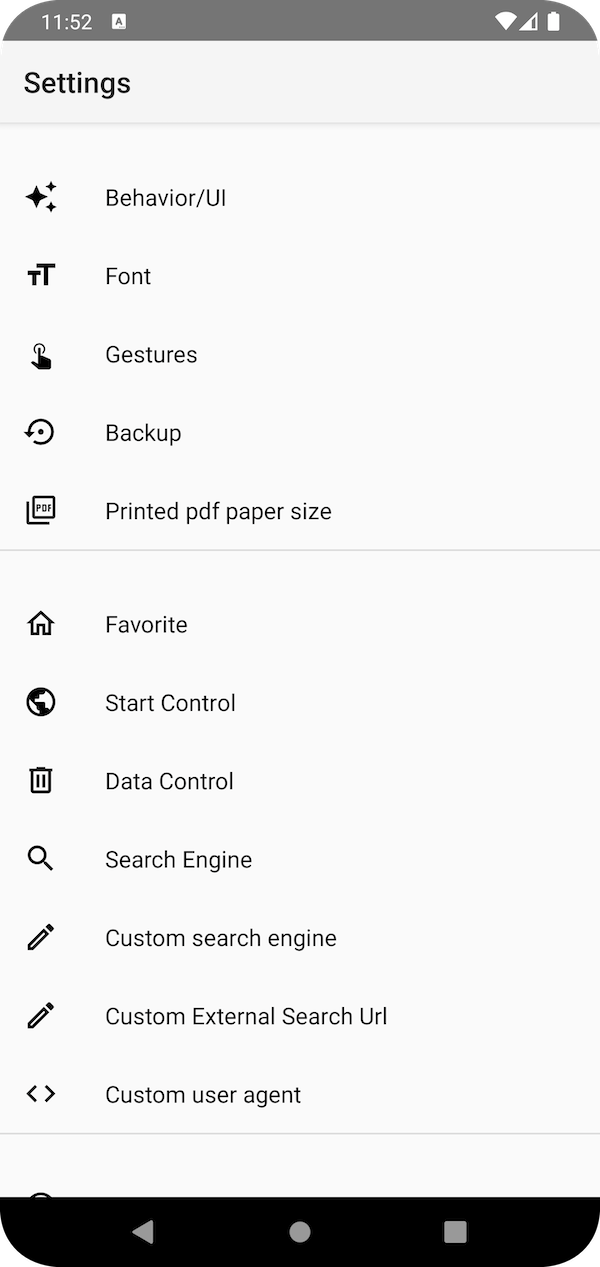
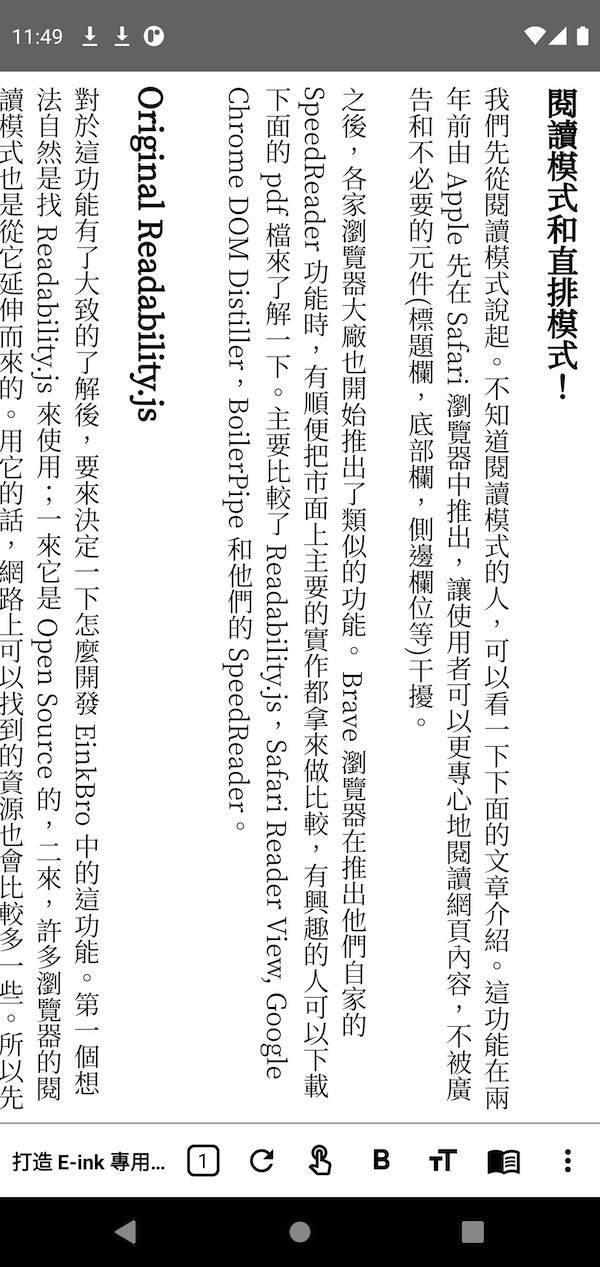
|Touch Setting|Settings|Vertical Read|
|
|
|Touch Setting|Settings|Vertical Read|
|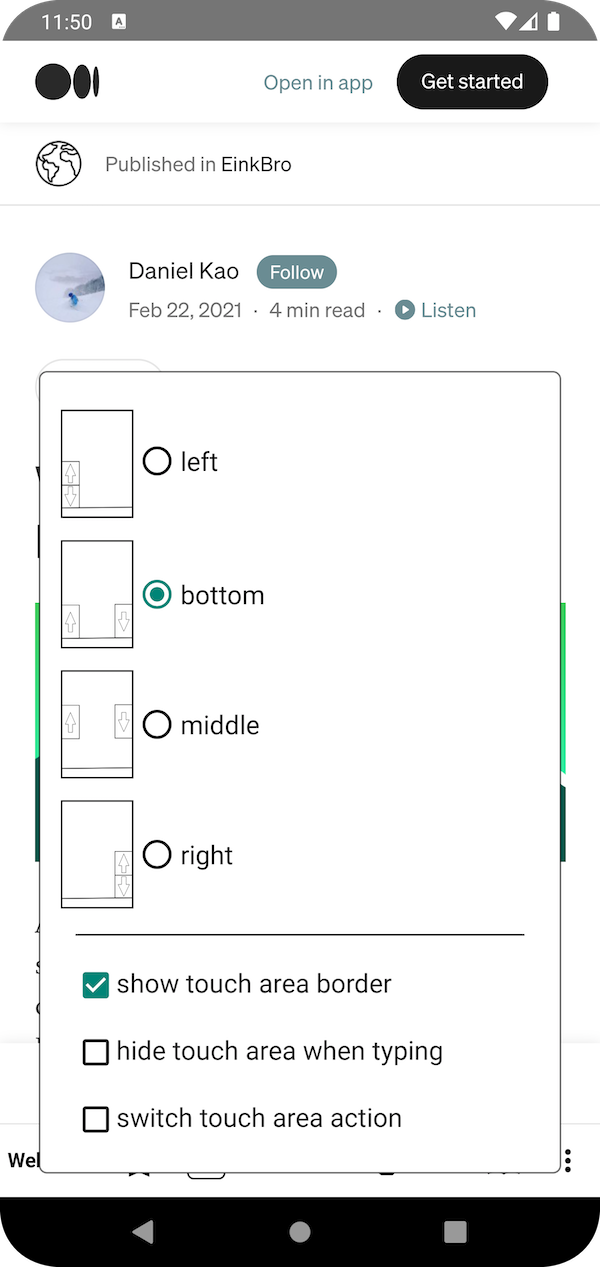 |
| |
| |
### E-Ink specific features
- **tapping on screen left/right edge for pageUp/Down** (finger button on toolbar)
- **reader mode**
- **vertical reading mode** (for Chinese/Japanese content)
- **export web content to epub file** (better results when used with reader mode)
- pageUp / pageDown / Back button on toolbar
- **physical volume keys for pageUp/pageDown**
- desktop mode feature
- all icons in high contrast colors
- tab count in bottom function bar
- font size configuration in first layer setting.
#### Customizable Toolbar Icons
|
### E-Ink specific features
- **tapping on screen left/right edge for pageUp/Down** (finger button on toolbar)
- **reader mode**
- **vertical reading mode** (for Chinese/Japanese content)
- **export web content to epub file** (better results when used with reader mode)
- pageUp / pageDown / Back button on toolbar
- **physical volume keys for pageUp/pageDown**
- desktop mode feature
- all icons in high contrast colors
- tab count in bottom function bar
- font size configuration in first layer setting.
#### Customizable Toolbar Icons
 * web title
* web tab count
* bookmarks
* refresh
* go backward
* go forward
* bold font
* increase font size
* decrease font size
* text size configuration dialog
* touch screen area to turn page buton
* page up
* page down
* reader mode
* vertical reader mode
* fulltext translation
* setting
* toolbar configuration dialog
* rotate screen
* fullscreen
### Basic UI/Handling:
- optimized for one hand handling (toolbar at bottom)
- tab control (switch, open, close unlimited tabs)
- full material design
- fullscreen browsing (optional)
- navigation button in fullscreen mode
- fast toggle for most important settings
- advanced gesture control for toolbar and navigation button
### Some nice extra features:
- small size
- search on site
- open links in background
- Websearch (from marked text context menu)
- screenshots of the whole website
- share/save as PDF
- open links in other apps (for example YouTube)
### Development environment supported by JetBrains
[
* web title
* web tab count
* bookmarks
* refresh
* go backward
* go forward
* bold font
* increase font size
* decrease font size
* text size configuration dialog
* touch screen area to turn page buton
* page up
* page down
* reader mode
* vertical reader mode
* fulltext translation
* setting
* toolbar configuration dialog
* rotate screen
* fullscreen
### Basic UI/Handling:
- optimized for one hand handling (toolbar at bottom)
- tab control (switch, open, close unlimited tabs)
- full material design
- fullscreen browsing (optional)
- navigation button in fullscreen mode
- fast toggle for most important settings
- advanced gesture control for toolbar and navigation button
### Some nice extra features:
- small size
- search on site
- open links in background
- Websearch (from marked text context menu)
- screenshots of the whole website
- share/save as PDF
- open links in other apps (for example YouTube)
### Development environment supported by JetBrains
[ ](https://jb.gg/OpenSourceSupport)